
Getting started
Topic A: The PowerPoint interface
Creating presentations
Topic A: Creating a basic
presentation
Topic B: Working with slides
Topic
C: Templates and themes
Editing slide content
Topic A: Formatting text
Topic B: Editing
efficiently
Working with shapes
Topic A:
Creating shapes
Topic B: Formatting shapes
Topic
C: Applying content to shapes
Graphics
Topic
A: WordArt
Topic B: Pictures
Tables and
charts
Topic A: Tables
Topic B: Charts
Topic
C: SmartArt
Preparing and printing presentations
Topic A: Proofing presentations
Topic B: Preparing a
presentation
Topic C: Printing presentations
Topics covered will vary slightly depending upon the version you are using, e.g 2010, 2013, 2016, 2019 or 365.
In addition to our Microsoft PowerPoint courses we also deliver courses for preparing, designing and delivering presentations:
Presentations - Preparing, Developing and
Delivering
Effective Presentations
Slide masters and transitions
Topic A: Slide
masters
Topic B: Transitions and timings
Topic
C: Custom slide shows
Graphics and media
Topic A: Modifying graphics
Topic B: Media clips
Topic C: Animations
Topic D: Photo albums
Customising slide elements
Topic A: Working with
SmartArt graphics
Topic B: Customizing tables
Topic C: Working with charts
Action buttons and
equations
Topic A: Action buttons
Topic B:
Equations
Integrating Microsoft Office files
Topic A: Applying content from a Word outline
Topic
B: Embedding and linking content
Finalising and
distributing presentations
Topic A: Reviewing and
finishing
Topic B: Distributing presentations
Customising PowerPoint
Topic A: Application settings
Topic B: Custom themes
Topics covered will vary slightly depending upon the version you are using, e.g. 2010, 2013, 2016, 2019 or 365.
In addition to our Microsoft PowerPoint courses we also deliver courses for preparing, designing and delivering presentations:
Presentations - Preparing, Developing and
Delivering
Effective Presentations
We design bespoke PowerPoint and Presentations courses to suit your requirements. A one-day course could, for example, cover topics from the Foundation and Advanced courses to create a course at Intermediate level. Any topics not listed can also be included.
After the Advanced course, a bespoke course could cover presentation preparation, design, techniques and methods and be run as a workshop to give delegates experience of deisgning and delivering their own presentations.
Courses for preparing, designing and delivering
presentations can be viewed at the following pages:
Presentations - Preparing, Developing and Delivering
Effective Presentations
Topics from the Presentations courses can also be
included in a Bespoke course.
Contact us to discuss your requirements for a PowerPoint training course that meets your staff training needs and business objectives. Our Microsoft PowerPoint training courses are delivered in most locations across the country.
Microsoft PowerPoint training courses from beginner to expert level are delivered by industry-leading instructors in Aberdeen, Glasgow, London, Perth, Edinburgh, Stirling, Dundee, Angus, Fife and most locations across the country.
Microsoft PowerPoint 365, 2019, 2016, and others. Training courses from beginner to expert level onsite and off-site in Aberdeen, Edinburgh, Stirling, Dundee, Angus, Fife, Glasgow, London, Perth and at locations across the UK.
Training on your premises is effective and convenient. Skills are acquired in a familiar environment,
courses can be tailored to business needs and staff requirements and trainees can use their own files and
equipment for hands-on experience.
Prices for
onsite courses offer superb value, there are no travel or accommodation costs for staff and an
expert instructor comes to you at no additional cost to you. We will use your facilities whether it is a
fully-equipped training suite or simply a suitable room or office.
In addition to our superb standard training courses we design bespoke courses, develop custom solutions,
tailor courses to suit your needs and provide consultancy services at all levels.
Contact us to discuss your requirements for a training course or a support and
training programme that meets your staff training needs and business objectives.
Fast track training sessions are highly-focussed intensive training sessions delivered in short bursts to
give busy people the essential skills they need in the shortest possible time.
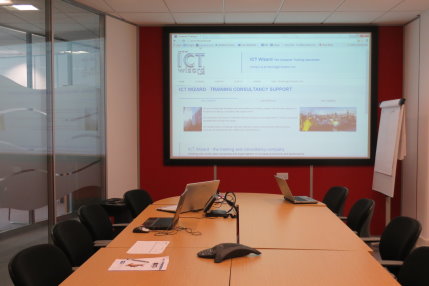 Our fast-track courses are a quick way to transfer essential skills in the shortest possible time - useful for busy
staff members unable to undertake comprehensive training.
Fast-track courses are suitable for a
variety of purposes and can, for
example, be used by busy professionals
to see what's new in PowerPoint. Here is
a summary of topics typically covered:
Our fast-track courses are a quick way to transfer essential skills in the shortest possible time - useful for busy
staff members unable to undertake comprehensive training.
Fast-track courses are suitable for a
variety of purposes and can, for
example, be used by busy professionals
to see what's new in PowerPoint. Here is
a summary of topics typically covered:
"The course to say the least was brilliant ... fantastic tutor ... would recommend the company and tutor to anyone" - delegate feedback. We will certainly use you again for future needs."
Group HR Manager, International Vehicle Manufacturer
"Great feedback about the instructor and the high quality of training ... many thanks again for providing us with a truly excellent training experience."
Training Administrator, Aberdeen
"Thanks again for another course run to an excellent standard."
Office Manager, Glasgow
"Please thank the trainer for his hard work last week … so excited after the training … couldn’t wait to start implementing some of the ideas/techniques."
Administration Manager, London
"I enjoyed the course immensely, thanks again."
IT Project and Training Consultant, Oil Company
"Post course support: Thanks! Genius! Thank you so much for not only getting back to me so quickly, but for fixing the problem!"
University Department Head
"The training was fantastic, my colleagues and I really enjoyed the session and we all benefitted greatly."
Project Coordinator Stirling
"Group of Project Managers (all scientists) - MS Project - The training course was excellent."
Vice President, Pharmaceutical Company
Information and advice freely provided ...
... and you will not be pestered by follow-up
sales calls!
Contact us for further details about our courses, prices and availability.
An experienced instructor can provide you with advice or assistance without any obligation.
Click here to email us for further information or advice